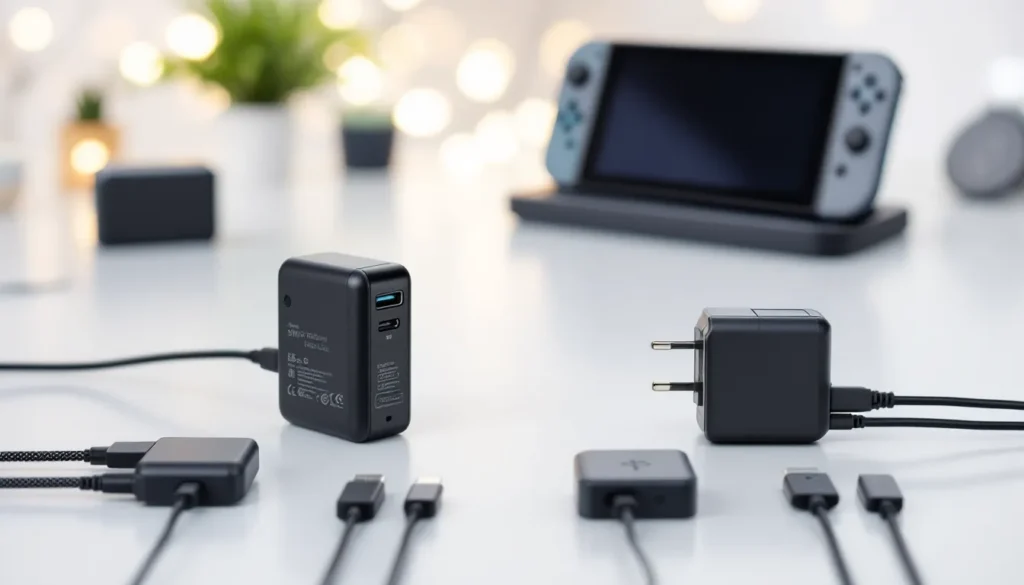
Your Nintendo Switch won’t boot. The 3DS you haven’t touched in months refuses to charge. Or maybe you’re staring at a tangle of cables behind your TV, trying to figure out which adapter belongs to which console. If you’ve ever dealt with a lost, broken, or mystery Nintendo AC adapter, you know the frustration.
Nintendo’s power adapters might seem like boring accessories, until you need one and don’t have it. Each console generation uses different specs, voltages, and connector types, and mixing them up can mean anything from a console that won’t turn on to potential hardware damage. Whether you’re replacing a dead adapter, buying a spare for travel, or trying to figure out if that third-party option on Amazon is safe, understanding Nintendo’s AC adapter ecosystem is essential for every player. This guide breaks down everything you need to know about power, compatibility, and keeping your Nintendo consoles running in 2026.
Key Takeaways
- Nintendo AC adapters vary significantly by console—using the wrong adapter can cause hardware damage, so always match your specific model (Switch HAC-002, 3DS WAP-002, Wii RVL-002, etc.) to the correct power supply.
- Official Nintendo AC adapters are the safest choice, but reputable third-party brands like Anker and Insignia can work if they have proper certifications and match Nintendo’s exact voltage/amperage specifications.
- Spot counterfeit adapters by checking packaging quality, certification marks (UL, CE, FCC), model numbers, cable fit, and performance—counterfeits often have blurry logos, missing certifications, or fail USB-PD negotiation on Switch models.
- Replace your Nintendo AC adapter immediately if you notice burning smells, exposed wiring, excessive heat, or physical damage; these are fire hazards that aren’t worth the risk to save $30.
- Extend your adapter’s lifespan by avoiding cable strain, keeping it cool and ventilated during use, unplugging during extended non-use, and inspecting regularly for early warning signs of failure.
- For international travel, Nintendo adapters accept 100-240V worldwide, but you’ll need a plug adapter to match outlet shapes in different countries—region-specific adapters with interchangeable plugs offer a convenient alternative.
What Is a Nintendo AC Adapter and Why Does It Matter?
A Nintendo AC adapter is the power supply unit that converts standard wall outlet AC (alternating current) into the lower-voltage DC (direct current) your console needs to operate and charge. It’s the brick-shaped or compact plug that connects your console to the wall, and it’s doing more than just delivering electricity.
These adapters regulate voltage, manage current flow, and include safety features to prevent overheating, short circuits, and power surges. Nintendo engineers each adapter specifically for a console’s power requirements. A Switch needs 15V/2.6A for docked play and TV output, while a 3DS pulls just 4.6V/0.9A for charging its battery.
Using the wrong adapter isn’t just ineffective, it can be dangerous. Underpowered adapters won’t charge or run your console properly. Overpowered ones can fry internal components, especially on older hardware like the DS family. Nintendo doesn’t use universal adapters across its lineup, so the adapter you used for your Wii won’t work with your Switch, even if the plug looks similar.
The adapter also affects performance. On Switch, using a low-quality or underpowered charger in docked mode can cause frame drops, reduced brightness, or the console pulling from battery while technically “plugged in.” For competitive players or anyone running demanding games like The Legend of Zelda: Tears of the Kingdom or Xenoblade Chronicles 3, that performance loss is noticeable.
Understanding Nintendo AC Adapter Models Across Generations
Nintendo has released a dizzying array of AC adapters over the years, each tied to specific hardware generations. Knowing which adapter matches which console saves you time, money, and potential headaches.
Nintendo Switch AC Adapter Specifications
The Nintendo Switch AC adapter (model HAC-002) is rated at 15V and 2.6A, delivering 39W of power. It uses a USB-C connector, which was a major shift from Nintendo’s proprietary plugs in previous generations. This adapter powers the Switch dock, charges the console, and provides enough juice for the system to run at full performance in docked mode.
One key detail: the Switch uses USB Power Delivery (USB-PD), a specific charging protocol. Not all USB-C chargers support USB-PD properly, which is why some phone chargers work inconsistently with Switch. The official adapter delivers 5V/1.5A (7.5W) for standard charging and can ramp up to 15V/2.6A (39W) when docked or fast-charging.
The Switch OLED model uses the same HAC-002 adapter and dock, so no changes there. But, the upcoming Switch 2 (rumored for late 2026) may use a higher-wattage adapter to support improved performance and a larger display, speculation at this point, but worth watching.
Nintendo 3DS and DS Family AC Adapters
The Nintendo 3DS, 3DS XL, 2DS, and 2DS XL all share the same AC adapter: the WAP-002 (USA) model, rated at 4.6V and 0.9A. This adapter uses a small barrel-style connector and is not compatible with the original DS or DS Lite, which used different plugs and voltages.
The original Nintendo DS used a proprietary connector and came with its own charger. The DS Lite also had a unique adapter (model USG-002) with a different plug shape. Neither works with 3DS family systems, and mixing them up won’t charge your device.
One frustrating quirk: Nintendo sold the 3DS XL and New 3DS (non-XL) models in some regions without an AC adapter in the box, assuming players would reuse an old one. If you bought a used 3DS without the charger, you’ll need to track down the WAP-002 specifically.
Wii and Wii U AC Adapter Differences
The Wii and Wii U both use proprietary AC adapters that connect directly to the console, but they’re not interchangeable.
The Wii AC adapter (model RVL-002) outputs 12V at 3.7A and plugs into the back of the Wii console. It’s a large, brick-style adapter with a rectangular connector.
The Wii U has two separate power components: the console itself uses the Wii U AC adapter (model WUP-002), rated at 15V and 5A (75W), which is significantly beefier than the Wii’s. The Wii U GamePad has its own charger, the WUP-011, which outputs 4.75V and 1.6A via a proprietary plug.
These adapters look similar at a glance, but the connectors and voltages are different enough that forcing the wrong one can damage your hardware. If you’re setting up a retro gaming corner in 2026, label your cables.
How to Choose the Right AC Adapter for Your Nintendo Console
Choosing the right adapter isn’t complicated if you know your console model and stick to a few key rules. The wrong choice can mean wasted money at best and a bricked console at worst.
Compatibility Considerations by Console Type
First, identify your exact console model. “I have a 3DS” isn’t enough, is it an original 3DS, a New 3DS XL, or a 2DS? Check the model number on the console’s serial label (usually on the bottom or inside the battery compartment).
Once you’ve confirmed the model, match it to the correct adapter:
- Nintendo Switch / Switch OLED / Switch Lite: HAC-002 (USB-C, 15V/2.6A). The Switch Lite can also charge via most USB-C phone chargers, but performance and charging speed vary.
- New 3DS / New 3DS XL / 3DS / 3DS XL / 2DS / 2DS XL: WAP-002 (USA) or equivalent region code (4.6V/0.9A).
- Wii: RVL-002 (12V/3.7A).
- Wii U console: WUP-002 (15V/5A).
- Wii U GamePad: WUP-011 (4.75V/1.6A).
For older systems, the adapter model is usually printed on the adapter itself. If you’re buying used or replacing a lost charger, cross-reference the model number with Nintendo’s official support pages or check community resources for verification.
One more consideration: regional differences. North American adapters are rated for 120V AC input, while European and Japanese models handle 220-240V. The output voltage (what the console receives) stays the same, but the plug shape and input rating differ. If you’re importing a console or traveling internationally, you’ll need to account for this.
Official vs. Third-Party AC Adapters: What You Need to Know
Official Nintendo AC adapters are the safest bet. They’re built to spec, include proper safety certifications (UL, CE, FCC), and come with Nintendo’s warranty. You’ll pay a premium, around $25-$30 for a Switch adapter in 2026, but you’re buying peace of mind.
Third-party adapters can work, but quality varies wildly. Reputable brands like Anker, Insignia (Best Buy’s house brand), and HORI produce adapters that meet or exceed Nintendo’s specs and include similar safety features. Many enthusiasts rely on third-party gaming accessories that have been independently tested and reviewed for reliability.
The danger zone is no-name Amazon Basics knockoffs and ultra-cheap eBay listings. These often lack proper voltage regulation, overheat protection, and grounding. Some use substandard wiring that can fray or short out. A $10 adapter might save you money upfront, but if it fries your $300 Switch, you’ve lost far more.
Key red flags for sketchy third-party adapters:
- No brand name or certification marks (UL, CE, FCC).
- Voltage/amperage specs that don’t exactly match Nintendo’s official output.
- Reviews mentioning overheating, burning smells, or consoles not charging.
- Suspiciously low prices (if it’s half the cost of the official adapter, ask why).
If you’re going third-party, stick to known brands, read reviews, and check return policies. For critical hardware like a primary console, it’s usually worth spending the extra $10-$15 for the official version.
Common AC Adapter Problems and Troubleshooting Solutions
AC adapters fail. It’s not a question of if, but when. Knowing how to spot the warning signs and troubleshoot common issues can save you from buying a replacement you don’t actually need.
Signs Your Nintendo AC Adapter Is Failing
Intermittent charging is the most common early symptom. Your console charges sometimes, but not always. You might have to wiggle the cable, hold the plug at a specific angle, or unplug and replug multiple times before it works. This usually indicates a worn connector, frayed internal wiring, or a failing solder joint inside the adapter.
Slow or incomplete charging is another red flag. If your Switch takes twice as long to charge as it used to, or your 3DS never reaches 100%, the adapter may not be delivering full power. Check the adapter’s output rating and compare it to Nintendo’s spec. If it matches, the problem might be internal degradation, capacitors and voltage regulators wear out over time.
Physical damage is obvious but often ignored. Frayed cables, exposed wiring, cracks in the adapter casing, or a plug that doesn’t fit snugly anymore all point to imminent failure. Don’t ignore these. A damaged adapter is a fire hazard.
Overheating is normal to some extent, adapters get warm during use. But if the adapter is too hot to touch comfortably, or if it smells like burning plastic, something’s wrong. Unplug it immediately.
No response at all can mean the adapter is dead, but don’t assume that’s the issue right away. Test the outlet with another device. Try plugging the adapter into a different outlet. Inspect the console’s charging port for debris, bent pins, or corrosion. If the console works with a different adapter (borrow one or test at a game shop), you’ve confirmed the adapter is toast.
Safety Issues and When to Replace Immediately
Some adapter problems are minor annoyances. Others are fire hazards. Here’s when to replace immediately, no troubleshooting required:
- Burning smell or visible smoke. Unplug, discard, and replace. Don’t attempt to repair it.
- Exposed wiring or severe cable fraying. Electrical shock and short-circuit risks are real.
- Melted or deformed plastic casing. This indicates serious internal overheating.
- Sparks or popping sounds when plugging in. Capacitor failure or short circuit. Stop using it.
- Adapter has been submerged in water. Even if it dries out, internal corrosion and short risks remain.
Nintendo advises against using damaged adapters, and insurance and fire safety experts agree. A $30 adapter isn’t worth risking a house fire or personal injury. If there’s any doubt, replace it.
Where to Buy Authentic Nintendo AC Adapters in 2026
Finding a genuine Nintendo AC adapter in 2026 is easier than it used to be, but you still need to be careful. The market is flooded with counterfeits, especially for older systems.
Nintendo’s official online store is the safest source. As of 2026, Nintendo of America’s online shop stocks current-gen adapters (Switch, Switch OLED) and sometimes legacy parts for 3DS and Wii U. Prices are MSRP, shipping is reliable, and you’re guaranteed an authentic product.
Major retailers like Best Buy, Target, Walmart, and GameStop carry official Nintendo adapters in-store and online. Best Buy often stocks Insignia-branded third-party options as well, which are generally trustworthy. Buying in person lets you inspect the packaging for authenticity markers (holographic seals, correct fonts, Nintendo branding).
Amazon is hit-or-miss. If you buy directly from Nintendo or a verified Nintendo seller (check the “Ships from” and “Sold by” fields), you’re usually safe. Third-party marketplace sellers are riskier. Stick to sellers with thousands of reviews and high ratings, and avoid listings with vague product descriptions or stock photos.
eBay and used marketplaces are viable for legacy adapters (Wii, 3DS), but you’re rolling the dice on condition and authenticity. Look for sellers with detailed photos of the actual item (not stock images), clear model numbers visible, and strong feedback scores. Ask for the adapter’s model number and compare it to Nintendo’s official specs before buying.
Local game shops and retro stores often carry used or refurbished adapters for older systems. These can be great deals, and many shops test items before selling. Ask if they offer a return policy or warranty.
Pricing in 2026 averages:
- Switch AC adapter (HAC-002): $25-$30 new.
- 3DS AC adapter (WAP-002): $10-$15 new or used.
- Wii U console adapter (WUP-002): $15-$25 used.
- Wii adapter (RVL-002): $10-$15 used.
If a deal seems too good to be true, it probably is. Counterfeiters often undercut by $5-$10 to lure buyers.
How to Spot Counterfeit Nintendo AC Adapters
Counterfeit Nintendo adapters are everywhere, and they’re getting harder to distinguish from the real thing. Some are harmless but low-quality. Others are actively dangerous. Here’s how to tell the difference.
Packaging is your first clue. Official Nintendo adapters come in branded boxes or blister packs with clean, high-resolution printing. Counterfeits often have blurry logos, misspelled words, or off-color Nintendo branding. Check for a holographic Nintendo seal of authenticity on the box.
Model numbers and labels on the adapter itself should match Nintendo’s official specs exactly. Official Switch adapters are labeled “HAC-002 (USA)” with voltage/amperage ratings printed clearly. Counterfeits sometimes use similar but slightly wrong model numbers (“HAC-002A” or “HAC-O02”) or omit certification marks.
Certification marks (UL, CE, FCC) should be present and legible. Counterfeiters often skip these or print fake versions. You can verify UL certification by checking the UL database online using the adapter’s model number.
Build quality differences are subtle but present. Official adapters have smooth, evenly molded plastic with no seams, gaps, or rough edges. The cable sheathing is thick and uniform. Counterfeits often feel lighter, have visible mold lines, or use thinner, cheaper-feeling plastic.
Cable and plug fit should be snug and secure. Counterfeit USB-C plugs on Switch adapters sometimes wobble or fit too loosely in the console’s port. Barrel connectors on 3DS counterfeits may be slightly off-spec, requiring force to insert.
Performance issues are the ultimate giveaway. If the adapter overheats excessively, charges inconsistently, or triggers a “not charging” warning on your console even though being plugged in, it’s likely a fake.
One reliable test for Switch adapters: check USB-PD negotiation. Plug the adapter into a USB-C power meter or use a USB-PD-compatible power bank to see if it properly negotiates 15V/2.6A. Counterfeits often fail to carry out USB-PD correctly and deliver inconsistent voltage.
When in doubt, compare side-by-side with a known authentic adapter (borrow from a friend or check at a retailer). Weight, feel, and print quality differences become obvious in direct comparison.
Travel and Portability Tips for Nintendo AC Adapters
Traveling with your Nintendo console means bringing the right power gear. Whether you’re flying internationally or road-tripping across the country, a little planning keeps your console charged and safe.
For domestic travel within the US, it’s straightforward: pack your official adapter and you’re set. The Switch’s USB-C charging gives you flexibility, many hotels, airports, and cars now have USB-C outlets or ports. A portable USB-C power bank (20,000mAh or higher with USB-PD support) can charge your Switch multiple times on the go. Anker and RAVPower make solid options that handle the Switch’s 15V/2.6A requirements.
Cable management matters when you’re packing. Use velcro cable ties or a small cable organizer pouch to keep the adapter cord from tangling with other gear. Wrapping the cable too tightly around the adapter can stress the wire and cause internal breaks over time, coil it loosely instead.
For 3DS or older systems, bring the official adapter unless you’ve tested a third-party alternative thoroughly. Barrel-connector adapters are less forgiving of voltage mismatches than USB-C.
Voltage and International Use Considerations
Nintendo’s official AC adapters are multi-voltage, meaning they accept 100-240V AC input at 50/60Hz. This covers nearly every country worldwide, so you won’t fry the adapter by plugging it into a European or Asian outlet.
What will differ is the plug shape. North American adapters use Type A or Type B plugs (flat parallel or flat with ground). Europe uses Type C or Type F (round pins), and the UK uses Type G (three rectangular pins). Japan uses Type A, same as the US.
You’ll need a plug adapter (not a voltage converter) to match the outlet shape in your destination country. These are cheap, passive devices that change the plug shape without altering voltage. Don’t confuse them with voltage converters, which are unnecessary for Nintendo adapters and can cause problems.
Another option: buy a region-specific Nintendo AC adapter. Nintendo sells the same adapter model with different plug types for different regions. A European HAC-002(EUR) adapter works identically to the US HAC-002(USA), just with a Type C plug. If you travel to a region frequently, this can be cleaner than using plug adapters.
One gotcha for Switch: USB-C charging varies by region’s power infrastructure. Some countries have lower-quality USB-C implementations in hotels or public spaces, which may not charge your Switch reliably. Bringing your official Nintendo adapter ensures consistent performance.
Frequent travelers often keep a dedicated travel loadout: a compact third-party USB-C adapter with interchangeable plug heads, a short USB-C cable (3-6 feet instead of the official adapter’s longer cord), and a power bank. This setup covers charging in multiple scenarios without the bulk of the full-size official adapter.
Finally, airport security: AC adapters and power banks are allowed in carry-on luggage. Power banks above 100Wh require airline approval, but most Nintendo-compatible power banks fall well below that threshold. If TSA or international security asks, explain it’s a video game console charger, they see them constantly.
Caring for Your Nintendo AC Adapter to Extend Its Lifespan
AC adapters don’t last forever, but with proper care, you can extend their lifespan from a couple of years to a decade or more. A few simple habits make a big difference.
Avoid cable strain at the plug and adapter junction points. These are the most common failure spots. Don’t yank the cable to unplug it, grasp the plug body itself. When storing, coil the cable loosely rather than wrapping it tightly around the adapter. Sharp bends and tight coils cause internal wire breaks over time.
Keep it cool during use. Adapters generate heat while converting AC to DC, and excessive heat accelerates component degradation. Don’t bury the adapter under blankets, pillows, or in a closed drawer while in use. Let it sit on a hard, flat surface with airflow. If you’re charging overnight, place it somewhere ventilated.
Unplug during extended non-use. If you’re not using a console for weeks or months (say, your 3DS sitting in a drawer), unplug the adapter. Leaving it plugged in with no load still draws a tiny amount of power and keeps components energized, which contributes to wear.
Protect from moisture and dust. Charging ports and cable connectors are vulnerable to corrosion. If you game in a humid environment, occasionally wipe down the plug and connector with a dry cloth. Don’t use your adapter near water (bathroom gaming setups, poolside play) without extreme caution.
Store properly when traveling or packing away. Use a padded case or organizer pouch to protect the adapter from being crushed or dropped. Don’t throw it loose in a bag where it can get banged around or have weight placed on it.
Inspect regularly for early warning signs. Every few months, check the cable for fraying, the plug for looseness, and the adapter casing for cracks or discoloration. Catching issues early lets you replace the adapter before it fails completely, or worse, damages your console.
One often-overlooked tip: use a surge protector. Power surges from lightning strikes, grid fluctuations, or other electrical events can fry an adapter (and potentially your console). A quality surge protector or uninterruptible power supply (UPS) adds a layer of protection. Gamers setting up their home gaming stations often overlook this simple safeguard.
Finally, rotate if you have spares. If you own multiple adapters (one for home, one for travel), swap them periodically. This distributes wear more evenly and prevents one adapter from being used into the ground while the other sits pristine in a drawer.
Conclusion
Nintendo AC adapters are easy to overlook until they stop working. But understanding which adapter fits which console, how to spot a counterfeit, and where to buy a reliable replacement can save you time, money, and frustration. Whether you’re keeping a legacy 3DS alive, maintaining a Switch setup for competitive play, or prepping for international travel, the right adapter knowledge keeps your gaming uninterrupted.
Stick with official adapters when possible, vet third-party options carefully, and treat your power gear with the same care you’d give your console. A $30 adapter protected properly can outlast the console it powers. And when it’s time to replace, you’ll know exactly what to look for and where to find it.